For decades, Active Directory Domain Services (AD DS) has been at the heart of Windows enterprise environments—providing centralized identity, authentication, access control, and policy management.
Instead of managing every user and computer individually, Active Directory enables IT teams to centrally manage identities, devices, permissions, and security policies across the organization.
📌 What is Active Directory?
Active Directory Domain Services is Microsoft's directory service for Windows domain environments.
It centrally manages objects such as:
- 👤 Users
- 💻 Computers
- 👥 Groups
- 🖨️ Printers
- 📁 Shared resources
- 🌐 Other directory-enabled resources
At its core, AD helps answer two important questions:
- 🔐 Authentication: Who are you?
- 🛡️ Authorization: What are you allowed to access?
Domain controllers provide authentication services including Kerberos and NTLM, while Active Directory also supports capabilities such as LDAP, domain join, DNS integration, and Group Policy.
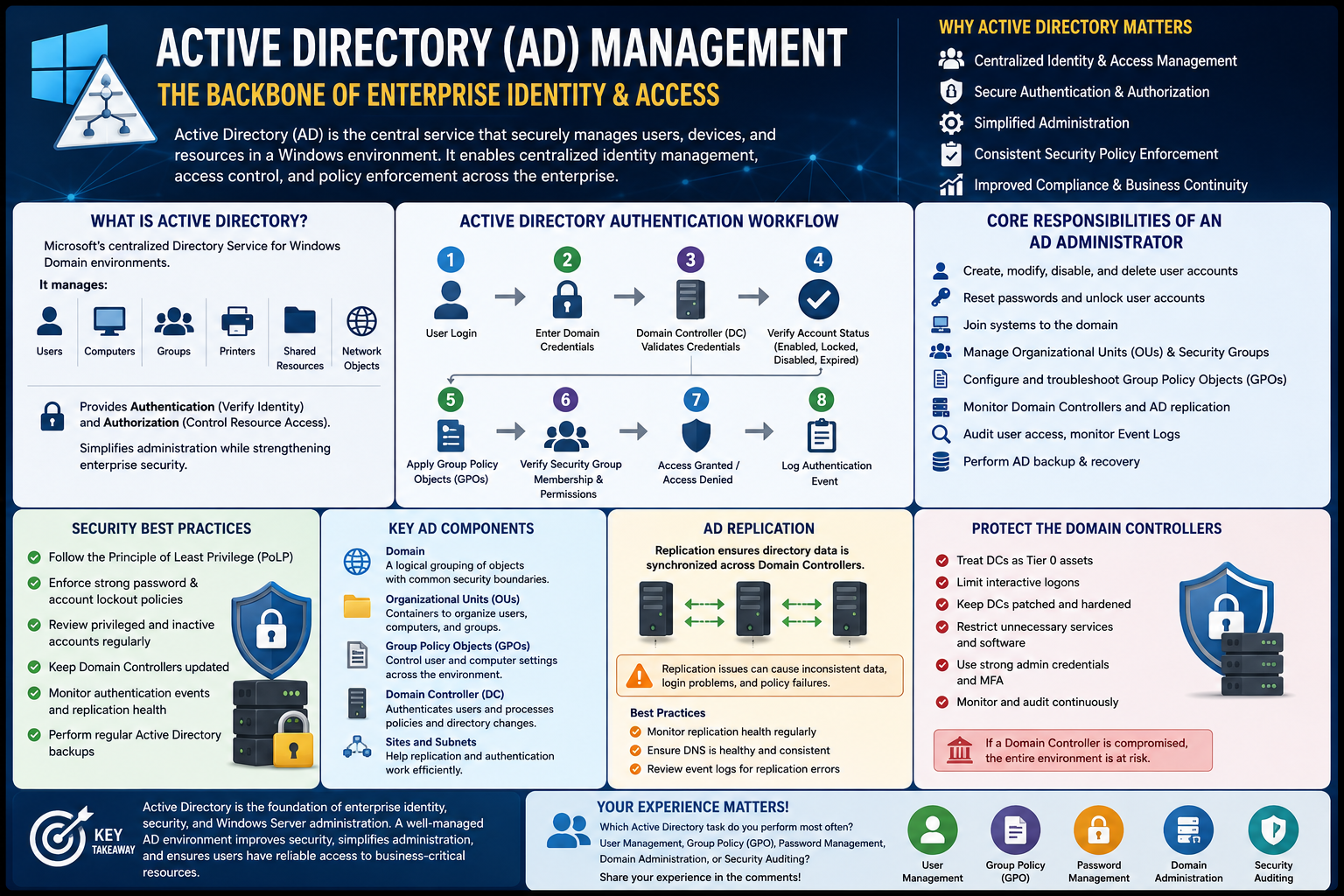
🔄 Simplified AD Sign-In & Access Flow
- 👤 User signs in
- ⬇️
- 🔑 Domain credentials are submitted
- ⬇️
- 🖥️ Domain Controller authenticates the identity
- ⬇️
- 🎫 Kerberos tickets are issued where applicable
- ⬇️
- ⚙️ User and computer Group Policies are processed
- ⬇️
- 🛡️ Group memberships and permissions determine access
- ⬇️
- ✅ Resources are allowed or ❌ denied
- ⬇️
- 📝 Relevant security events can be logged and audited
⚙️ What does an AD Administrator manage?
Typical responsibilities include:
- 🔹 User and computer lifecycle management
- 🔹 Password resets and account unlocks
- 🔹 Domain joins
- 🔹 Organizational Units (OUs) and groups
- 🔹 Group Policy Objects (GPOs)
- 🔹 Domain Controllers, DNS, and replication
- 🔹 Delegated permissions and privileged access
- 🔹 Authentication and security event monitoring
- 🔹 Backup, recovery, and disaster-recovery readiness
🔒 Active Directory Security Matters
Because Active Directory controls access to critical enterprise resources, protecting it should be a security priority.
Microsoft recommends practices such as limiting unnecessary privileges, securing administrative hosts, protecting Domain Controllers, and enforcing appropriate security baselines through Group Policy.
Other important practices include:
- ✔️ Apply least privilege
- ✔️ Separate privileged and standard user accounts
- ✔️ Regularly review privileged and inactive accounts
- ✔️ Keep Domain Controllers patched and hardened
- ✔️ Monitor authentication and replication health
- ✔️ Audit changes to privileged groups and critical objects
- ✔️ Maintain and regularly test AD recovery procedures
💡 Key Takeaway
Active Directory isn't simply a database of users and computers—it's a critical identity and security control plane for many enterprise environments.
When AD is designed, secured, monitored, and maintained correctly, it provides centralized identity management, consistent security policy enforcement, controlled access to resources, and a reliable foundation for enterprise IT.
And even as organizations adopt Microsoft Entra ID and cloud-first identity, understanding Active Directory remains essential—especially in hybrid environments where traditional AD DS continues to support Windows infrastructure and legacy applications.
💬 Which area of Active Directory do you work with the most: User Management, Group Policy, DNS, Replication, Security, or Domain Administration?