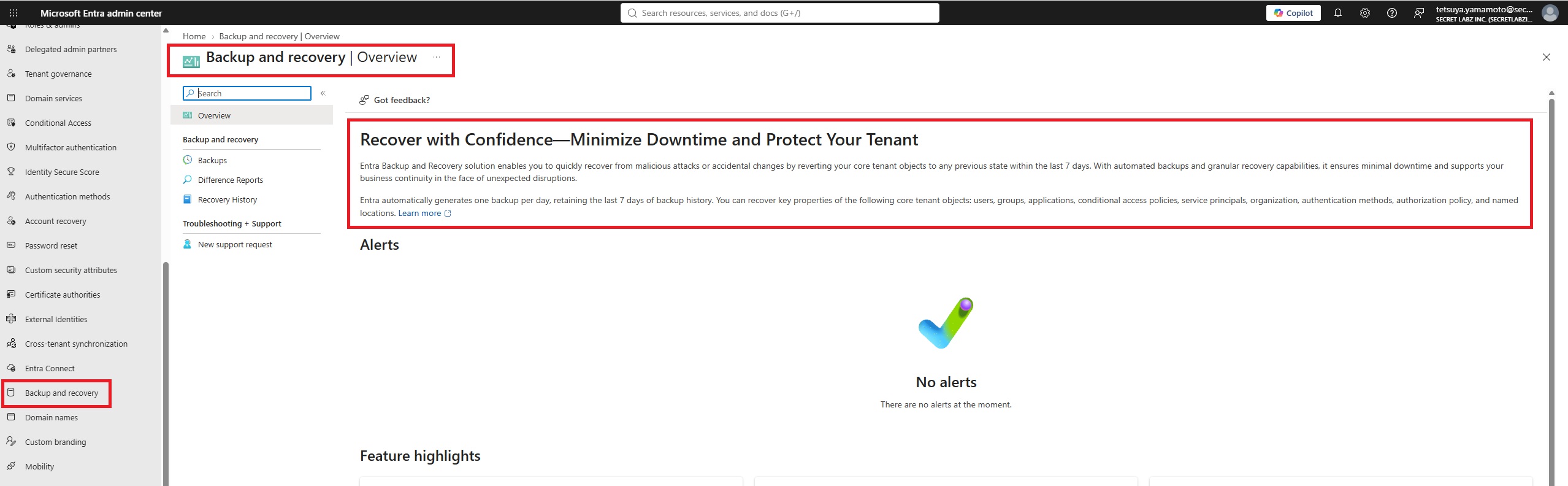
Identity infrastructure is critical—and accidental changes, misconfigurations, or malicious activity in Microsoft Entra ID can have a major impact on an organization.
Microsoft Entra Backup and Recovery provides a built-in way to recover supported directory objects and configurations to a previously known-good state.
🛡️ What can be protected?
Microsoft currently supports recovery for key Entra objects and selected properties, including:
👤 Users
👥 Groups
📱 Applications
🔑 Service principals
🤖 Agent IDs
🛡️ Conditional Access policies
📍 Named locations
🔐 Authentication method policies
⚙️ Authorization policies
Managed identities are represented through supported underlying identity objects such as service principals, depending on the scenario. Microsoft continues to expand supported objects and recoverable properties.
🔄 How does it work?
For eligible Microsoft Entra ID P1 or P2 workforce tenants, Microsoft automatically creates a backup of supported objects once per day and retains up to 7 days of backup history.
Even better, these backups are protected from administrative tampering—Microsoft states that signed-in users and applications, including highly privileged administrators, can't turn off, delete, or modify the backups.
Administrators can then:
🔹 View available backup points
🔹 Generate Difference Reports to compare a backup with the current tenant
🔹 Identify changed objects, attributes, and supported links
🔹 Recover selected objects or broader supported configurations
🔹 Review recovery history and audit activity
⚠️ Important limitations
This isn't a complete replacement for an identity disaster recovery strategy.
For example, hard-deleted objects can't currently be recovered, and users and groups whose source of authority remains on-premises Active Directory must be recovered through the on-premises environment. Recovery also covers only supported properties and links.
💡 Why this matters
Entra ID has become a critical control plane for modern organizations. A bad Conditional Access change, accidental configuration update, or security compromise can potentially affect access across the business.
Having a native recovery capability provides another layer of resilience:
Backup → Compare → Identify Changes → Recover → Validate
💡 Bottom line: Microsoft Entra Backup and Recovery gives organizations a built-in safety net for critical identity configurations—helping reduce recovery time and improve resilience when something goes wrong.
And because it's included for eligible Microsoft Entra ID P1 and P2 tenants, this is definitely a capability Entra administrators should start incorporating into their identity recovery planning.