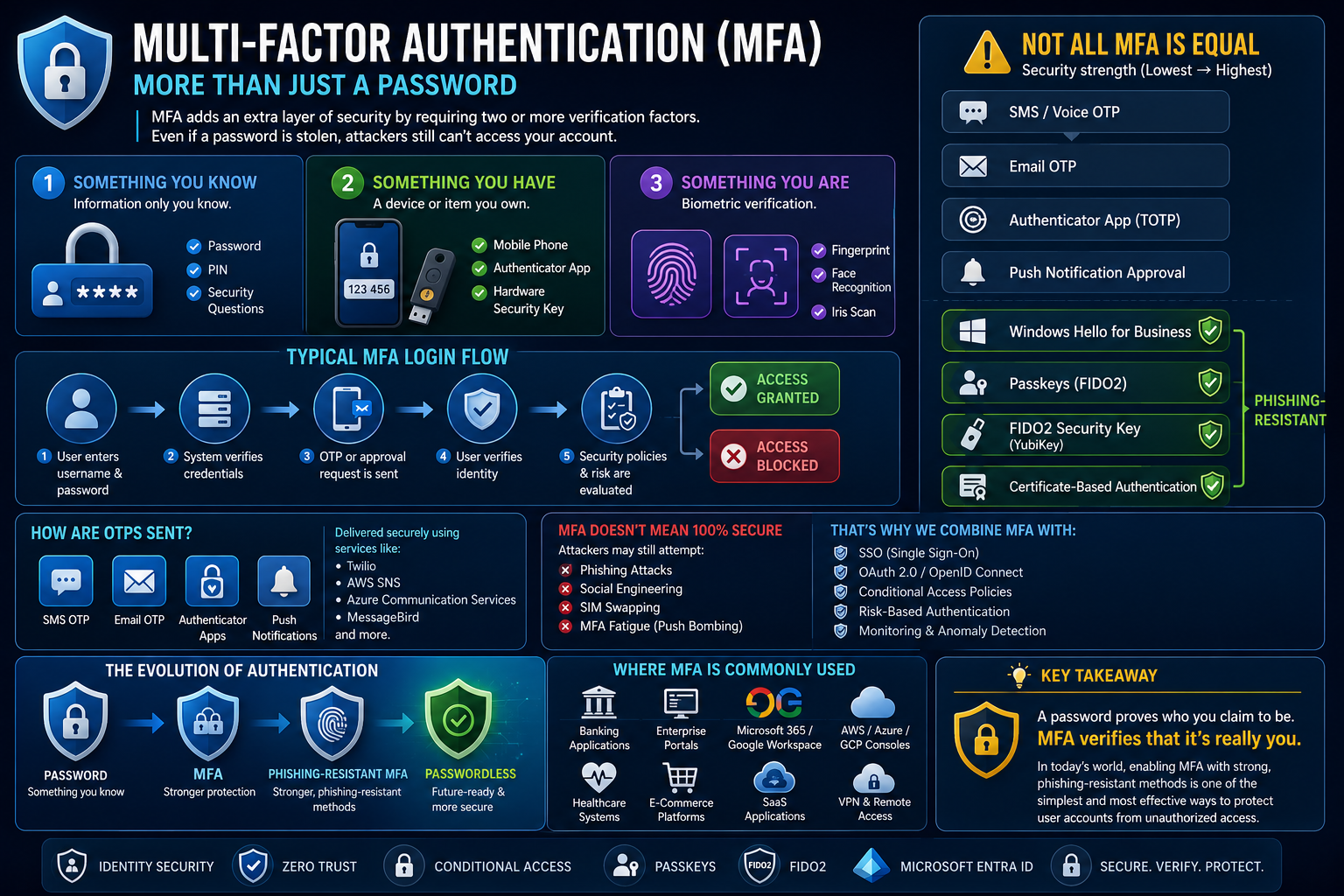
Passwords alone are no longer enough to protect modern identities.
Even a strong password can be:
- ❌ Phished
- ❌ Stolen in a data breach
- ❌ Reused across multiple services
- ❌ Captured through malware or social engineering
That's where Multi-Factor Authentication (MFA) comes in.
MFA strengthens authentication by requiring evidence from more than one category of authentication factor before access is granted.
🔐 The three authentication factors
1️⃣ Something you know Knowledge that should only be known by the user.
Examples:
- 🔹 Password
- 🔹 PIN
2️⃣ Something you have A trusted device or cryptographic authenticator.
Examples:
- 🔹 Smartphone
- 🔹 Microsoft Authenticator
- 🔹 FIDO2 security key
- 🔹 Passkey-enabled device
3️⃣ Something you are A biometric characteristic used to unlock an authenticator or device.
Examples:
- 🔹 Fingerprint
- 🔹 Facial recognition
- 🔹 Iris recognition
Combining independent factors makes account compromise significantly more difficult than relying on a password alone.
🔄 A typical MFA sign-in
👤 User initiates sign-in * ⬇️
🔑 Primary authentication occurs * ⬇️
🛡️ Additional verification is required * ⬇️
📱 User completes the authentication challenge * ⬇️
🔍 Security policies and risk signals are evaluated * ⬇️
✅ Access granted or ❌ blocked
In enterprise platforms such as Microsoft Entra ID, this process can also work with Conditional Access, allowing authentication requirements to change based on factors such as user risk, device state, location, application, and sign-in context.
📊 Not all MFA methods provide the same protection
Traditional methods can significantly improve security over password-only authentication, but some remain susceptible to phishing. Microsoft specifically notes that methods such as SMS, email OTP, and traditional authenticator-based MFA can still be targeted by remote phishing attacks.
A simplified progression is:
- 🔸 SMS / Voice OTP
- 🔸 Email OTP
- 🔸 TOTP Authenticator
- 🔸 Authenticator Push / Number Matching
- 🛡️ Windows Hello for Business
- 🛡️ Passkeys (FIDO2)
- 🛡️ FIDO2 Security Keys
- 🛡️ Certificate-Based Authentication
The last four can provide phishing-resistant authentication when appropriately configured. Microsoft particularly recommends FIDO2 security keys for highly privileged or highly regulated users.
🎣 MFA doesn't eliminate every attack
Attackers continue to use techniques such as:
- ⚠️ Credential phishing
- ⚠️ MFA fatigue / push bombing
- ⚠️ Adversary-in-the-Middle phishing
- ⚠️ Social engineering
- ⚠️ SIM swapping
- ⚠️ Session/token theft
This is why modern identity security is moving beyond simply asking:
"Is MFA enabled?"
A better question is:
"How strong is the authentication method we're using?"
🚀 The future is phishing-resistant and passwordless
Passkeys represent an important evolution because they use public-key cryptography rather than reusable secrets such as passwords or OTP codes. The private key remains with the authenticator, while the service stores the corresponding public key.
For organizations building a modern identity strategy, the direction should increasingly be:
Password → MFA → Phishing-Resistant MFA → Passwordless
💡Key takeaway:
MFA remains one of the most important identity security controls, but enabling any MFA method should no longer be the finish line. Organizations should progressively move users—especially administrators and privileged accounts—toward phishing-resistant authentication such as passkeys, FIDO2, and Windows Hello for Business.